
Get the link
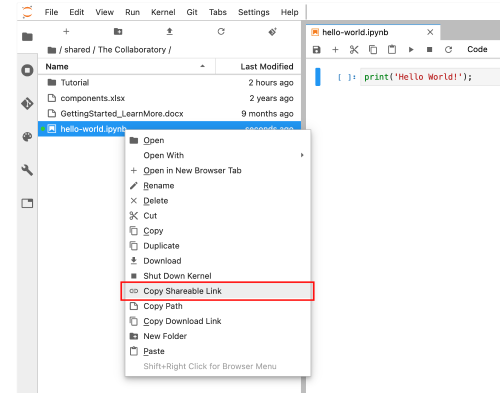
From the Lab UI, right-click on the Notebook filename from the navigation panel and click on "Copy Shareable Link"
Create the navigation item
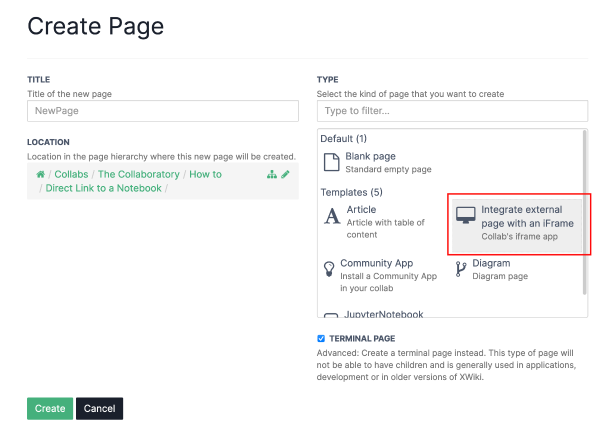
Use "Integrate external page with an iFrame" type in the page creation form.
Set values
Title is the field used as the label for the navigation item.
Link of the webpage ... is the filed where you should paste the link you have copied on the first step.

Click save and view, the notebook should be visible within the iframe.