
Moving a wiki page
Last modified by hbpadmin on 2023/05/15 15:16
|  |
| 2. Click on the "Move / Rename" menu item | 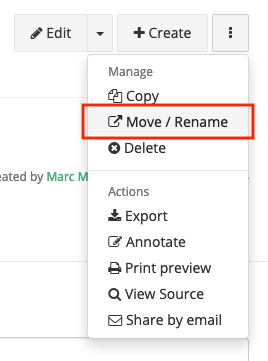 |
| 3. Open the location selector by clicking on its icon |  |
4. Select the destination of your wiki page(s). The destination will be the container of your wiki page(s). In our example, the "FAQ and tips to users" pages will be moved under the "Work in progress" page of the "Collaboratory User Group" collab. 5. Click "Select" when your selection is correct | 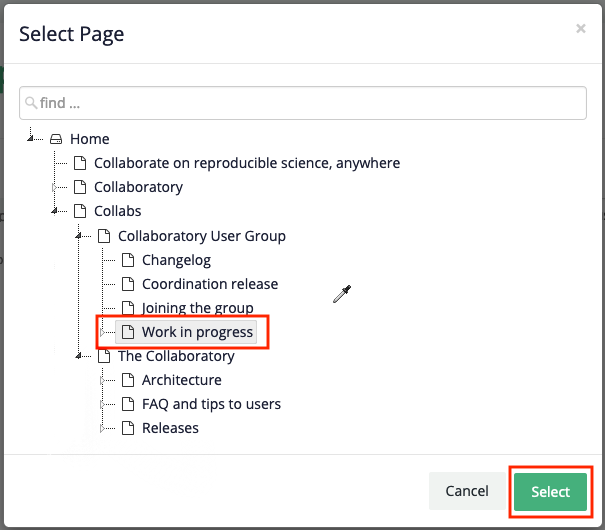 |
| 6. If your wiki page contains sub pages, you can choose whether they should follow their parent (default) or stay in the source collab |  |
| 7. If your wiki page is being referenced by another wiki page within the Collaboratory.wiki, you can choose to automatically update these references to the new destination of our page(s) |  |
| 8. If users have bookmarks to your wiki page, you can choose to automatically redirect them to your new destination |  |
| 9. Click "Rename" to launch the process |  |